Help Center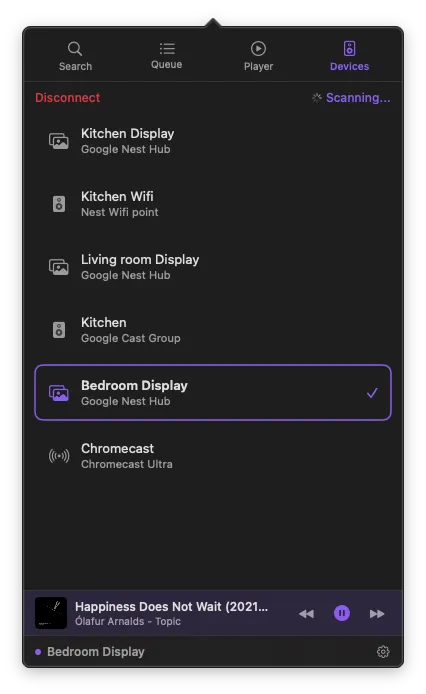
Connecting Devices
Discover and manage Cast devices on your network.
Supported devices
ChromecastChromecast with Google TVNest HubNest speakersCast groups
How it works
Open the Devices tab — PurpleWave automatically scans your network. Select a device to start casting. Switch devices anytime; playback transfers automatically.
Disconnecting
Tap "Disconnect" at the top of the Devices tab. Playback stops and the device returns to its idle screen.
Device not showing up?
Not on the same network — Make sure your Mac and Cast device share the same network.
Permission denied — System Settings > Privacy & Security > Local Network — allow PurpleWave.
Device is off or unresponsive — Power cycle the Cast device and wait a few seconds.
VPN active — VPNs can block local discovery. Try disconnecting it.